Lily Stamp Brushes for Procreate: A Designer's Botanical Toolkit
Effortless Elegance for Digital Projects
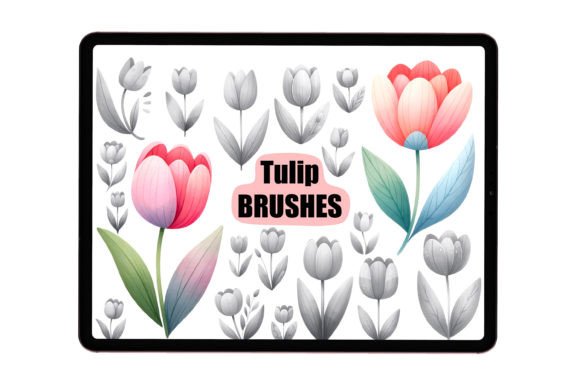
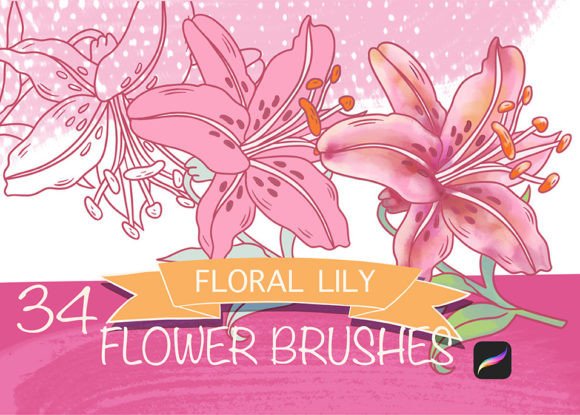
Finding the right design assets can transform a good project into a great one. For anyone working on an iPad, Lily Stamp Brushes for Procreate offer a surprisingly versatile and high-quality solution for adding organic, botanical elements. These are not just simple stamps; they are a carefully crafted set designed for real creative work. The collection includes detailed lily flowers, budding stems, and graceful leaves, all rendered with a realistic touch that avoids looking overly digital or cartoonish. The visual personality is one of natural elegance—perfect for adding a touch of sophistication without overwhelming a design.
The true power of these brushes lies in their intuitive functionality. Once imported into Procreate, each stamp can be instantly customized. You can change the color to match any brand palette, scale it up for a bold statement or down for a subtle detail, and rotate it to find the perfect angle. Using the reflect tool creates natural, mirrored arrangements, ideal for symmetrical designs. Experimenting with Procreate's blending modes opens up even more possibilities, allowing you to create depth, texture, and interesting color interactions with just a few taps. This level of control makes them far more useful than a static image library.
From Logo Design to Personalized Stationery
Where do Lily Stamp Brushes for Procreate truly shine? Their application is remarkably broad. For brand identity and logo design, a single, well-placed lily can become the cornerstone of a beautiful, nature-inspired mark. Entrepreneurs and small business owners can use them to create consistent branding elements for packaging, business cards, and social media headers. The botanical style works particularly well for brands in wellness, beauty, floristry, artisanal goods, and lifestyle sectors.
Beyond branding, these brushes are fantastic for editorial design and publishing. Bloggers and content creators can design unique featured images, section dividers, or decorative borders for digital magazines and newsletters. For packaging design, they allow you to create intricate patterns or focal points that feel hand-drawn yet polished. The set is equally at home in personal projects. Use them to design custom wedding invitations, greeting cards, or digital planners. They are excellent for drawing ornaments and mandalas, where repeating and rotating elements is key. The ability to build custom patterns from these stamps makes them a valuable asset for surface design and textile prints.
Integrating Botanicals into Your Design Workflow
Adopting any new design asset requires a bit of strategy. When working with the Lily Stamp Brushes for Procreate, consider how they influence your project's visual hierarchy. A large, colorful lily flower will naturally draw the eye first, making it perfect for a focal point. Smaller buds and leaves can support the main element, guiding the viewer's gaze through the composition. This helps create a clear visual path, improving the overall readability and flow of your layout.
For font pairing, these botanical stamps work beautifully with a range of typefaces. They complement elegant serif fonts for a classic, sophisticated feel. Paired with a clean sans serif font, they add a touch of organic warmth to a modern layout. They can even balance a bold display font or a flowing script font by providing a natural, grounding element. The key is to let the lilies enhance, not compete with, your typography. Start by using them sparingly—a single accent can be more powerful than a dense arrangement.
Practical Tips for Getting Started
First, ensure a smooth installation. The process is straightforward: download the file, unzip it using an application like Files or a dedicated unzipping app, and then import the .brushset file directly into Procreate. It will then appear in your brushes library, ready to use.
Before diving into a final project, take time to experiment. Create a new canvas and test each stamp. Play with the color sliders, try different blending modes like Multiply or Overlay, and practice scaling and rotating to understand the range of each element. This exploration is crucial for understanding how the lily stamp brushes can serve your specific vision.
Finally, think about the context. These brushes are ideal for projects where a handcrafted, natural aesthetic is desired. They might not be the best fit for a stark, ultra-minimalist tech interface, but they are perfect for adding character to a blog header, a product label, or a social media quote graphic. Their strength is in adding a layer of authentic, artistic detail that resonates with audiences looking for beauty and craftsmanship.