Floral Pattern Brushes for Illustrator: Instant Organic Detail
Why Seamless Brushes Change Your Workflow
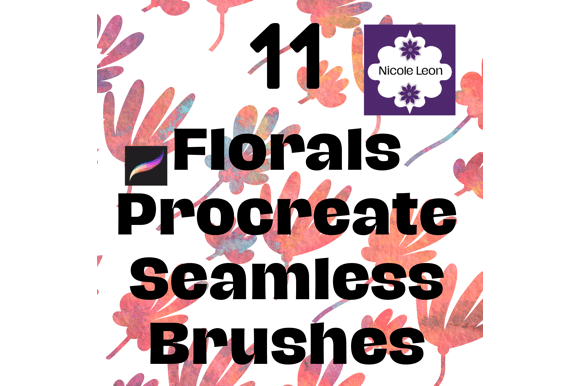
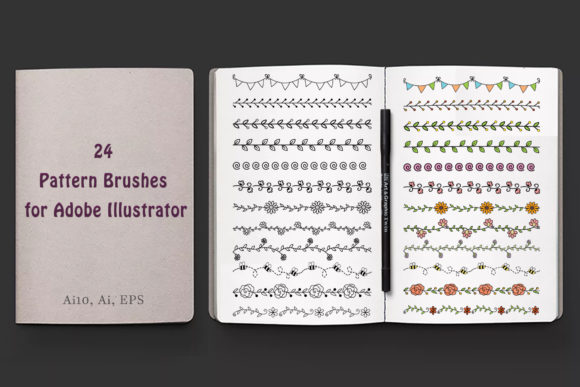
When you are building a brand identity or designing packaging, the small details often take the most time. Creating intricate botanical elements from scratch requires patience and a steady hand. This is where Floral Pattern Brushes become a vital part of your design assets toolkit. Unlike static graphics, these are dynamic tools. They function as seamless brushes within Adobe Illustrator, allowing you to stroke a path and watch complex floral arrangements appear instantly. This saves significant time in the production phase, letting you focus on the overall composition rather than the tedious construction of individual leaves and petals.
The visual personality of this set is distinctly organic and fluid. It avoids the rigid, repetitive look of standard pattern fills. Instead, the brushes adapt to the curvature of your path. Whether you are drawing a straight line for a border or a complex swirl for a logo design, the floral elements flow naturally along the curve. This creates a hand-drawn aesthetic that feels authentic and high-end. The style works beautifully for projects that need a touch of nature without looking like generic clip art.
Practical Applications for Modern Designers
The versatility of these Floral Pattern Brushes makes them suitable for a wide range of commercial and personal projects. For brand identity work, you can use them to create unique logomarks or secondary brand elements. Imagine a bakery or a boutique clothing line; the organic texture of these brushes adds warmth and approachability that a standard sans serif font alone cannot achieve.
In editorial design and packaging design, these brushes excel at creating decorative borders and dividers. Instead of a plain line separating sections of a magazine layout, you can apply a floral brush to create an elegant separator that reinforces the theme. For social media graphics, these assets are invaluable for creating eye-catching borders around quotes or product images. Because the brushes are vector-based, you can scale them up for large-format posters or down for business cards without losing quality.
Specific Project Ideas
- Wedding Stationery: Create intricate borders for invitations and save-the-dates that look custom-illustrated.
- T-Shirt Design: Apply the brushes to curved text paths to create floral typography for apparel prints.
- Home Decor Mockups: Use the brushes to add floral motifs to pillow or curtain designs for print-on-demand stores.
- Greeting Cards: Combine the brushes with script fonts to design elegant cards for any occasion.
Customizing Your Floral Pattern Brushes
One of the strongest features of this set is the ability to adjust size and shape via Adobe Illustrator. This is not a "set it and forget it" asset. To get the most out of the Floral Pattern Brushes, you need to manipulate them. You can easily change the stroke weight to make the floral pattern thicker or thinner. You can also expand the appearance of the brush stroke later to recolor individual petals or leaves, matching the specific palette of your project.
When working with these brushes, pay attention to your visual hierarchy. If you are designing a poster, use a thicker stroke weight for the main headline decoration and a thinner weight for background elements. This creates depth. Also, consider how the organic shape of the brush interacts with your typography. Pairing these intricate floral elements with a clean, modern serif font or a geometric sans serif font often yields the best results, as the contrast highlights the beauty of the botanical detail.
Technical Requirements and Compatibility
It is important to note that these are vector design assets specifically designed for Adobe Illustrator. They will not function as intended in Photoshop, as Photoshop relies on raster data for brushes. For the best experience, you should be using Adobe Illustrator CC or newer. The set includes an AI10 file for those using earlier versions, as well as an EPS 10 file for compatibility with other vector programs, but the core functionality—adjusting the brush on the fly—is optimized for Illustrator.
By integrating these Floral Pattern Brushes into your workflow, you gain a powerful tool for creating professional, organic graphics. Whether you are a freelancer designing for clients or a small business owner creating your own marketing materials, these brushes provide a shortcut to high-quality modern typography