Exploring the Dot Art Updated Stamps and Asset Library
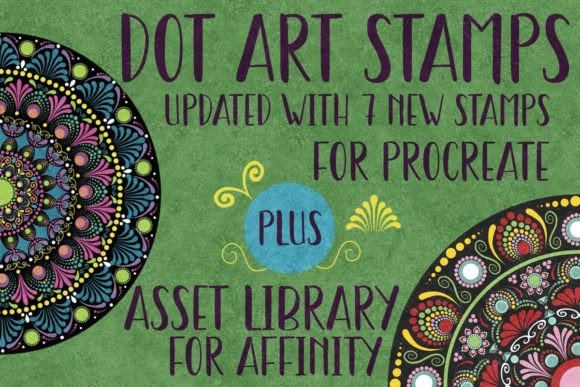
There's a certain charm and tactile quality to hand-drawn elements that digital tools sometimes struggle to replicate. The Dot Art Updated Stamps and Asset Library bridges that gap beautifully. This collection isn't a traditional typeface, but rather a curated set of 23 unique stamps for Procreate and a corresponding Asset Library for Affinity Designer. Each element is hand-drawn, offering an organic, textured aesthetic that feels personal and crafted. The visual style is characterized by a deliberate, dotted texture, giving each stamp a distinctive, artisanal personality. It’s a creative font alternative for illustrators and designers seeking to inject warmth and a human touch into their projects.
A Toolkit for the Modern Creative
The real value of the Dot Art Updated Stamps and Asset Library lies in its versatility across different workflows and platforms. For iPad artists and Procreate users, the stamps are a direct import. They arrive opaque, ready to be resized, rotated, and placed. This opacity is a key feature; it means you can layer these elements over any color or pattern, using blend modes to create unique effects. They function perfectly as standalone illustrations, decorative borders, or textured accents for digital planners, scrapbooking layouts, and social media graphics. For entrepreneurs and small business owners, these stamps can become the foundation of a brand identity for a boutique, a handmade goods shop, or a creative blog, offering a consistent, handcrafted feel across all marketing materials.
Affinity Designer users gain a different kind of power. The assets provided are true vectors. This is where the term infinitely scalable becomes critically important. Unlike raster-based stamps, these vector assets can be scaled from a tiny icon on a business card to a massive banner for a trade show booth without losing a single pixel of clarity. The lines remain crisp and smooth. This makes the Asset Library indispensable for logo design, packaging design, and editorial design where consistency and professionalism are non-negotiable. The ability to recolor and manipulate these vectors opens up endless possibilities for creating cohesive design assets.
Integrating Dot Art into Your Design Projects
Choosing the right assets is about more than just aesthetic preference; it's about strategic fit. The Dot Art style communicates approachability, creativity, and attention to detail. It’s an excellent choice for projects aiming to feel authentic and less corporate. Consider using these elements in:
- Brand Collateral: For a coffee roaster, a florist, or a stationery brand, using these stamps across web design, packaging, and social media can build a recognizable and inviting brand identity.
- Content Creation: Bloggers and publishers can use them as custom illustrations, pull-quote decorations, or chapter markers in editorial design, adding visual interest that breaks up text and guides the reader's eye.
- Digital & Print Products: From printable art and greeting cards to unique patterns for POD (print-on-demand) products, the hand-drawn nature adds a premium, artisanal value.
When evaluating project fit, test how the stamps interact with your existing font pairing. The organic dots often pair well with clean sans serif fonts for contrast or with elegant serif fonts for a more eclectic, vintage feel. Avoid pairing them with overly ornate script fonts or other handwritten fonts that might compete for attention and reduce readability.
Practical Considerations for Professional Use
Before diving in, a few practical steps will ensure you get the most from the Dot Art Updated Stamps and Asset Library. First, always verify software compatibility. The Procreate file is exclusively for use on an iPad with Procreate and an Apple Pencil. The Affinity Designer library is solely for that application. Second, consider the scale. In Procreate, you can resize stamps freely, but remember that raster images can pixelate if enlarged too much beyond their original resolution. In Affinity Designer, scalability is your superpower—use it.
For commercial projects, the licensing is straightforward for personal and professional use, including illustrations, design, and print-on-demand. This makes it a viable commercial font asset for freelancers and agencies. To maintain visual hierarchy and readability, use the stamps as accents rather than for body text. Their textured style is perfect for headlines, logos, or decorative elements, but long paragraphs would become difficult to read.
Ultimately, the Dot Art Updated Stamps and Asset Library is more than a collection of shapes. It’s a toolkit for adding a signature, handcrafted quality to digital work. By understanding its strengths in both Procreate and Affinity Designer, and by applying it thoughtfully across various media, designers and creators can leverage it to produce work that feels both personal and polished, enhancing audience engagement through authentic visual storytelling.